
Creating images is one of the most overlooked challenges in affiliate marketing and blogging. While content is essential, visuals directly impact click-through rates, engagement, and trust, yet many beginners struggle with design tools or expensive software.
That’s where Image Studio, the built-in AI image tool inside Wealthy Affiliate, comes in.
In this review, I’ll break down:
- What Image Studio is
- How it works
- My real experience using it
- Pros and cons
- Who it’s best for
This is a hands-on review, written for beginners and marketers who want efficiency,not complexity.
What Is Image Studio in Wealthy Affiliate?
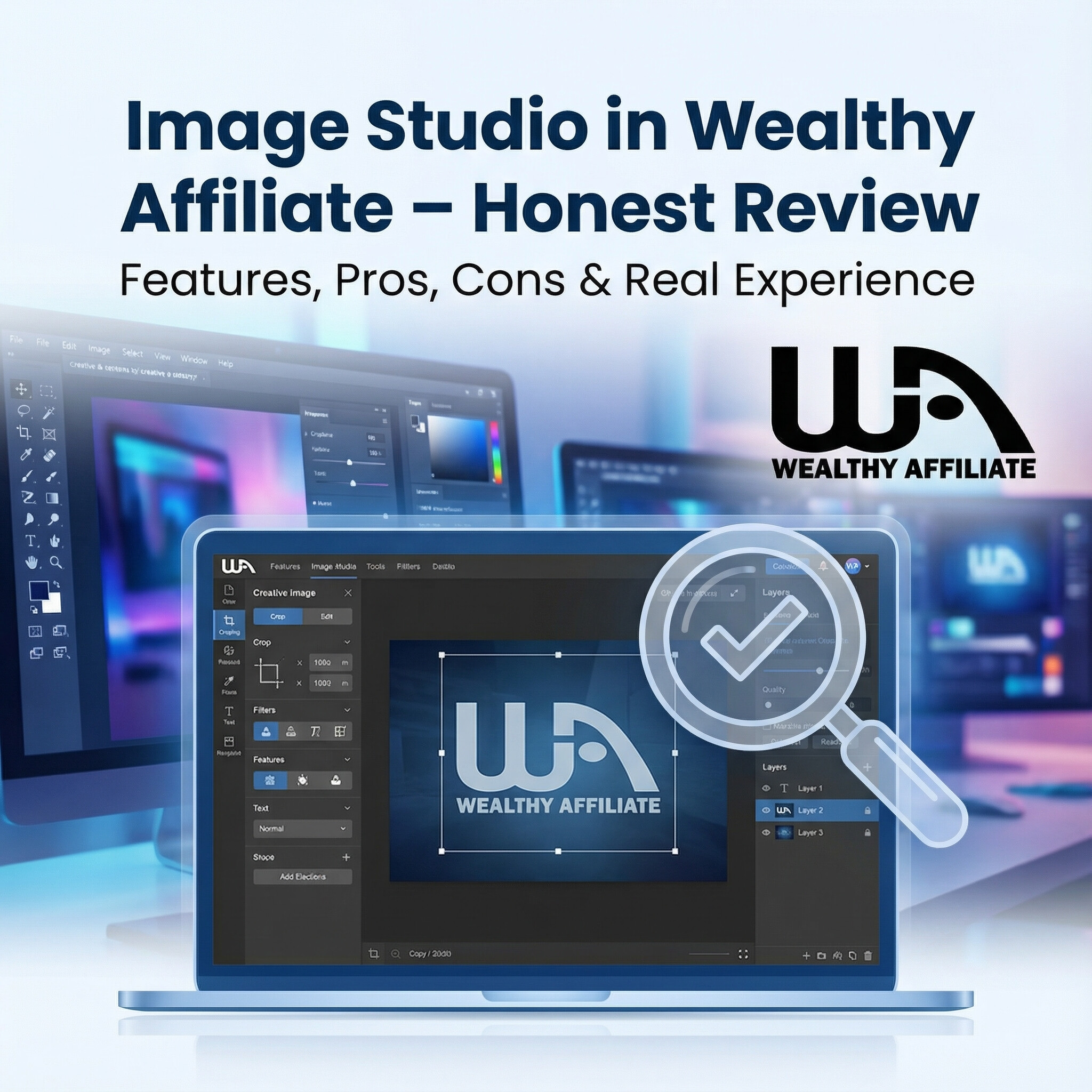
Image Studio is an AI-powered image generator and editor that’s fully integrated into the Wealthy Affiliate dashboard. Instead of using third-party tools like Canva or Photoshop, you can create visuals exactly where you build your website and write content.
It allows you to:
- Generate images from text prompts
- Customize visuals using reference images
- Make basic edits like cropping and resizing
For affiliate marketers, this means fewer tools, fewer subscriptions, and faster publishing.
How Image Studio Works (Quick Overview)
Using Image Studio is simple:
- Enter a text prompt describing the image you want
- Let the AI generate a visual
- Make quick edits if needed
- Download or use it directly in your content
You can also upload an image and ask the AI to modify or enhance it, useful for branding or promotions.
Want to see Image Studio inside Wealthy Affiliate?
You can access it directly from the dashboard when you join Wealthy Affiliate.
Many beginners start with the free starter account, which lets you explore the platform before upgrading.
My Experience Using Image Studio (Real Use Case)
When I first started building my website on Wealthy Affiliate, image creation slowed me down more than writing content. I had no design background, and every external tool felt overwhelming.
Trying Image Studio was an easy decision because it was already included.
First Impressions
The interface is clean, simple, and beginner-friendly. There’s no clutter, no confusing menus, and no steep learning curve. I didn’t need tutorials or prior experience to start creating usable images.
Within minutes, I had visuals I felt confident publishing on my blog.


What Image Studio Is Best Used For
Image Studio performs best for:
- Blog featured images
- Affiliate banners
- Pinterest graphics
- Social media visuals
- Simple promotional images
If your goal is speed, consistency, and usability, it delivers exactly that.
Using Reference Images
One standout feature is the ability to upload reference images.
This allows you to:
- Maintain brand consistency
- Improve existing visuals
- Create variations for promotions
For affiliate marketers, consistent visuals improve trust—and trust improves conversions.
If you’re struggling with images while building your site, Image Studio removes that obstacle entirely. It’s included inside Wealthy Affiliate, along with hosting, training, and website tools.
Pros and Cons of Image Studio
✅ Pros
- Fully integrated into Wealthy Affiliate
- Beginner-friendly interface
- No external design tools required
- Fast image creation
- Cost-effective for new marketers
❌ Cons
- Not designed for advanced graphic designers
- Limited editing compared to professional software
- Uses AI credits for image generation
For most beginners, the pros heavily outweigh the cons.
Who Should Use Image Studio?
Image Studio is ideal for:
- Beginners in affiliate marketing
- Bloggers who want clean visuals
- Marketers focused on speed
- Anyone avoiding complex design tools
If your goal is building income, not mastering design software, this tool fits perfectly.
Is Image Studio Worth It?
If you’re already a Wealthy Affiliate member, Image Studio is absolutely worth using. It removes one of the most common beginner excuses:
“I can’t publish yet because I don’t have images.”
If you’re considering Wealthy Affiliate, Image Studio adds real value by simplifying content creation and reducing costs.
Want to try Image Studio for yourself?
You can access it by joining Wealthy Affiliate and exploring the platform firsthand.
Many users start with the free account before upgrading.
Final Verdict: Image Studio Review
Image Studio is not a replacement for professional design software, and it doesn’t need to be. It’s built for real-world affiliate marketing needs, where speed, simplicity, and consistency matter more than perfection.
For bloggers and affiliate marketers who want:
- Faster publishing
- Fewer tools
- Lower costs
- Cleaner workflows
Image Studio is a practical, valuable tool inside Wealthy Affiliate.
A selection of my artwork created in Image Studio






Frequently Asked Questions (FAQ)
What is Image Studio in Wealthy Affiliate?
Image Studio is an AI-powered image creation and editing tool built directly into the Wealthy Affiliate platform. It allows users to generate images from text prompts, edit visuals, and use them instantly in blog posts or marketing content without third-party software.
Is Image Studio free to use?
Image Studio is included with Wealthy Affiliate memberships. Free starter members may have limited access, while premium members receive higher usage limits through AI credits.
Do I need design experience to use Image Studio?
No. Image Studio is designed specifically for beginners. You can create publish-ready images without any graphic design background or prior experience.
What types of images can I create with Image Studio?
You can create blog featured images, affiliate banners, Pinterest graphics, social media visuals, and simple promotional images.
Can I upload my own images to Image Studio?
Yes. Image Studio allows you to upload reference images and ask the AI to modify, enhance, or create variations, which is useful for branding and consistency.
Is Image Studio good for affiliate marketing?
Yes. Image Studio is especially useful for affiliate marketers who want fast, consistent visuals without managing multiple tools or subscriptions.
Does Image Studio cost extra?
No. Image Studio is included inside Wealthy Affiliate. Image generation uses AI credits, which vary depending on your membership level.
20 thoughts on “Image Studio in Wealthy Affiliate – Honest Review”
-
“Thanks for this review! I’ve been curious about Image Studio in Wealthy Affiliate, and your breakdown makes it so much clearer. I love that it’s integrated directly into the WA dashboard. Having an AI image generator right where I create my content sounds like such a time-saver. The fact that you can generate images from text prompts, tweak them, and even use reference images is huge for beginners who don’t want to juggle multiple tools.
I also appreciate your honest take on pros and cons, it’s super helpful to know what works well and what to watch out for. I believe this tool could be a game-changer for bloggers and affiliate marketers who want high-quality visuals without needing a Photoshop or Canva subscription. Definitely bookmarking this so I can try it out on my free starter account. Thanks again for sharing your experience! -
I’ve always been curious about tools that actually make content creation easier, and your honest take on Image Studio in Wealthy Affiliate gave me a clear sense of what it does and whether it’s worth trying. You break it down in a way that feels practical and not overly technical. For newbies like me, that’s super helpful. I really appreciate how you point out both strengths and limitations instead of just hyping it up. Do you think the images created here hold up as well as what you’d get from a standalone paid design tool, or is it more about convenience and speed? Overall, it’s a helpful, no-nonsense review that makes decision-making way easier!
-
I found this blog about Image Studio in Wealthy Affiliate to be helpful and appealing with illustrations. the article clearly explains what Image Studio is and how it works. The author’s personal experience with it is also insightful and similar to my very positive experience with it as it is so very easy to use.
-
I have used many AI image generators over the past year. AI is constantly improving, and there are many AI generators out there. One of my most significant issues is text in the image. AI always seems to get it wrong in one area or another. Based on the pictures you shared, I did not see many errors, which really shocks me to say the least. You mentioned AI credits and a Free Starter Account. My question is: will I need to purchase AI credits to use the image creator, or is there a try-before-you-buy option I can take advantage of?
Please let me know!
Michael
-
Yes, there is a try-before-you-buy option. You can start with a Free Starter Account that gives you AI credits right away, so you can create images and test how well the text works without paying anything. There’s no credit card needed and no pressure to buy. You only need to purchase credits if you decide you want to use it more; for basic testing, the free credits are enough.
-
-
I see that both of your articles sing the praises of our home graphic AI. While it is pretty good, I have lists of AI’s that will do a better job but they cost more. I don’t know how many times I have gotten halfway through a project when the AI stops in mid thought displaying a red banner saying I need more tokens.
What I do like about our home AI’s is that they are all in one place. I don’t have to bounce from AI to AI to get a whole task completed. Nor do I have to pour over the results with a fine toothed comb to ensure the material is sound and consistent.
-
Great honest review, this really highlights a pain point many new bloggers underestimate. Image creation can easily slow momentum, and having Image Studio built directly inside Wealthy Affiliate feels like a smart solution. I like how you clearly explained what it does well without overselling it as a Photoshop replacement. The ability to generate images from prompts and tweak reference images is especially useful for maintaining brand consistency across posts and promos. For beginners focused on publishing consistently, speed and simplicity matter more than advanced design features. Your pros and cons section keeps expectations realistic, which builds trust. I also appreciate mentioning the free starter account, since it lowers the barrier to testing the tool firsthand. This post makes it clear who Image Studio is for, and why it’s a practical add-on for affiliate marketers.
-
I’m with you on this. I really like Image Studio too; having it built right into Wealthy Affiliate just makes the whole workflow smoother, and it’s definitely another reason WA stands out as an all-in-one platform for building an online business.
That said, I’ve had the same frustration with the AI credits being used even when the image doesn’t quite hit the mark. It feels a little rough when you don’t end up using the image at all, and the credits are still gone.
-
This is a well-framed and practical review, especially in how you identify image creation as a real bottleneck for beginners rather than a “nice-to-have” feature. From a communication perspective, your strongest point is the focus on workflow reduction fewer tools, fewer decisions, and fewer reasons for people to delay publishing. That clarity matters because consistency, not perfection, is what builds trust and momentum online.
Overall, this communicates usefulness, limits, and audience fit very effectively. It’s a solid example of how clear, honest messaging helps readers make confident decisions instead of chasing tools that don’t match their actual goals. -
This is an incredibly useful review for anyone in the Wealthy Affiliate community. Your balanced take, pointing out its convenience and speed for members already using the platform, while being clear that it’s not a Photoshop replacement, is spot on. I especially appreciated the side-by-side comparison with other tools like Canva. It really helps put its value into perspective for different needs and skill levels. Thanks for the clarity!
-
I have been using Image Studio inside Wealthy Affiliate as a quick, reliable workhorse for blog graphics. The strengths are speed and simplicity: background removal is clean on most product shots, one-click resize/crop to social presets saves time, and the built-in compression keeps images WebP-light without killing detail. I like that I can add alt text, captions, and a basic brand kit before export, which tightens my publishing loop. Licensing clarity is a plus when I pull from the stock library.
Limitations I have hit: batch processing is minimal, typography controls are basic, and it is not a replacement for heavy design or AI art tools. Upscaling beyond 2x and precise colour management can also be hit-or-miss. My workflow is to do a fast cutout and crop in Image Studio, export optimised WebP, then only jump to a full editor if I need complex layouts. For everyday blog assets, it has earned a spot in my stack.
Marios
-
I really enjoyed reading your honest breakdown of Image Studio inside Wealthy Affiliate, especially how you explain its beginner‑friendly interface and how it removes one of the big hurdles new bloggers face when it comes to visuals. I liked how you showed that you can generate images from text prompts, tweak them with reference images, and use them right in your content without juggling multiple tools. The pros and cons section was very helpful for understanding its real value without overselling it. One thing I’m curious about after reading this is how well the images created with Image Studio hold up compared with other AI or paid design tools in terms of quality and consistency for branding.
-
Hello Saba!
Thanks for this honest look at the Image Studio in Wealthy Affiliate — it’s refreshing to see a review that goes beyond just praise and actually explains how the tool works in real use. I loved how you broke down the features, from editing basics to how it integrates with content creation inside WA. For someone who sometimes gets stuck trying to make visuals look right, it’s encouraging to know there’s a built-in tool that doesn’t require jumping into a bunch of separate software or spending extra money.
Your personal experience added a lot of clarity too, especially around whether Image Studio genuinely saves time and helps improve content quality. Thanks again for such a thorough and user-friendly review!
Angela M 🙂
-
The Crea8ive Growth review on Image Studio within Wealthy Affiliate is detailed and informative. Although I have no experience with Image Studio, this review highlights valid reasons to make use of its functionality. It is rewarding to understand the potential of this tool. I look forward to applying this knowledge moving forward.
-
Thank you for this honest and practical look at Image Studio in Wealthy Affiliate; I found it very informative as someone curious about building my own content and visuals without having to juggle multiple tools.
What resonated with me most was how Image Studio fits directly within the platform where you’re already writing, training, and publishing. That seamless workflow, especially the ability to generate and resize images quickly for blog headers, social posts, and video thumbnails, sounds like it could really help reduce friction instead of adding another subscription or app to learn.
Thanks again for the helpful breakdown!
-
AI definitely makes life easier. It is a time-saver and does a pretty-good job. I was happy to have help writing things, now it is a further blessing in helping create images, as well. I well remember trying my hand at creating and inserting images into my work, Now being creative is becoming a breeze!
-
Thanks for this detailed review! I’ve been exploring ways to streamline content creation, and I can really relate to the frustration of juggling multiple design tools. Your breakdown of Image Studio inside Wealthy Affiliate makes it clear how it solves that problem, especially for beginners who just want to get visuals done without learning complex software.
I appreciate your honest take on both strengths and limitations. In my experience, having an all-in-one solution like this can really speed up publishing, even if it doesn’t replace advanced tools like Photoshop for heavy editing
This review definitely gives me a practical perspective on whether it’s worth trying out for quick, consistent visuals.
-
Thank you for this in-depth review of the Image Studio in Wealthy Affiliate. It was very clear and detailed, which I think many WA members will appreciate. I’ve personally used Image Studio to create my own logo, and I found it surprisingly easy to navigate once I played with the templates and simple tools. I also noticed that Wealthy Affiliate seems to be promoting this feature more lately, which makes sense because visual branding is becoming more important for websites and marketing. In my experience, having a built-in design tool is much more convenient than switching between external apps just to make simple graphics. Do you feel that Image Studio is ready for more advanced graphic needs, or do you still recommend external tools for certain types of projects?
-
This review reflects much of what I have experienced firsthand with Image Studio inside Wealthy Affiliate. What I appreciate most is that it is clearly designed for marketers and content creators, not designers. That distinction matters. The tool lowers the barrier to creating usable visuals without pulling you into endless technical choices.
From my own experience, Image Studio works best when you approach it with intention rather than experimentation for its own sake. When you know the context of the image, blog header, concept visual, prompt illustration, it delivers fast and consistent results. It has saved me a lot of time compared to bouncing between multiple external tools.
That said, I see Image Studio as a practical companion, not a replacement for professional design tools. Advanced control, fine tuning, or complex compositions are not its strength. But that is also not its purpose. Its value lies in speed, accessibility, and tight integration with the Wealthy Affiliate workflow.
In my opinion, the honest strength of Image Studio is that it encourages creation instead of hesitation. For many users, especially beginners, that momentum is more valuable than perfection. Used with realistic expectations, it is a solid, evolving tool that fits well within the Wealthy Affiliate ecosystem rather than trying to compete with everything else.
-
Great review! I think the most underrated feature of the Image Studio isn’t just the convenience, it’s the SEO factor. Google has been getting much stricter about generic stock photos (shutterstock/depositphotos) lately. Being able to generate a 100% unique image that no other website has is actually a ranking signal now. Having that baked directly into the content writer is a massive advantage for speed.
Leave a Reply

Related Posts

Leave a Reply